Calendar Integration
Sync Mangose with your calendar
Integrate your Mangose tasks with external calendars like Apple Calendar, Google Calendar, and Outlook. Keep your schedule in sync and never miss a deadline.
How the integration works
- Mangose generates an iCal link for the calendar view in your collection.
- You add that link to your calendar app as a subscribed calendar.
- Tasks with due dates appear in your calendar and sync automatically.
How to integrate Mangose with your calendar
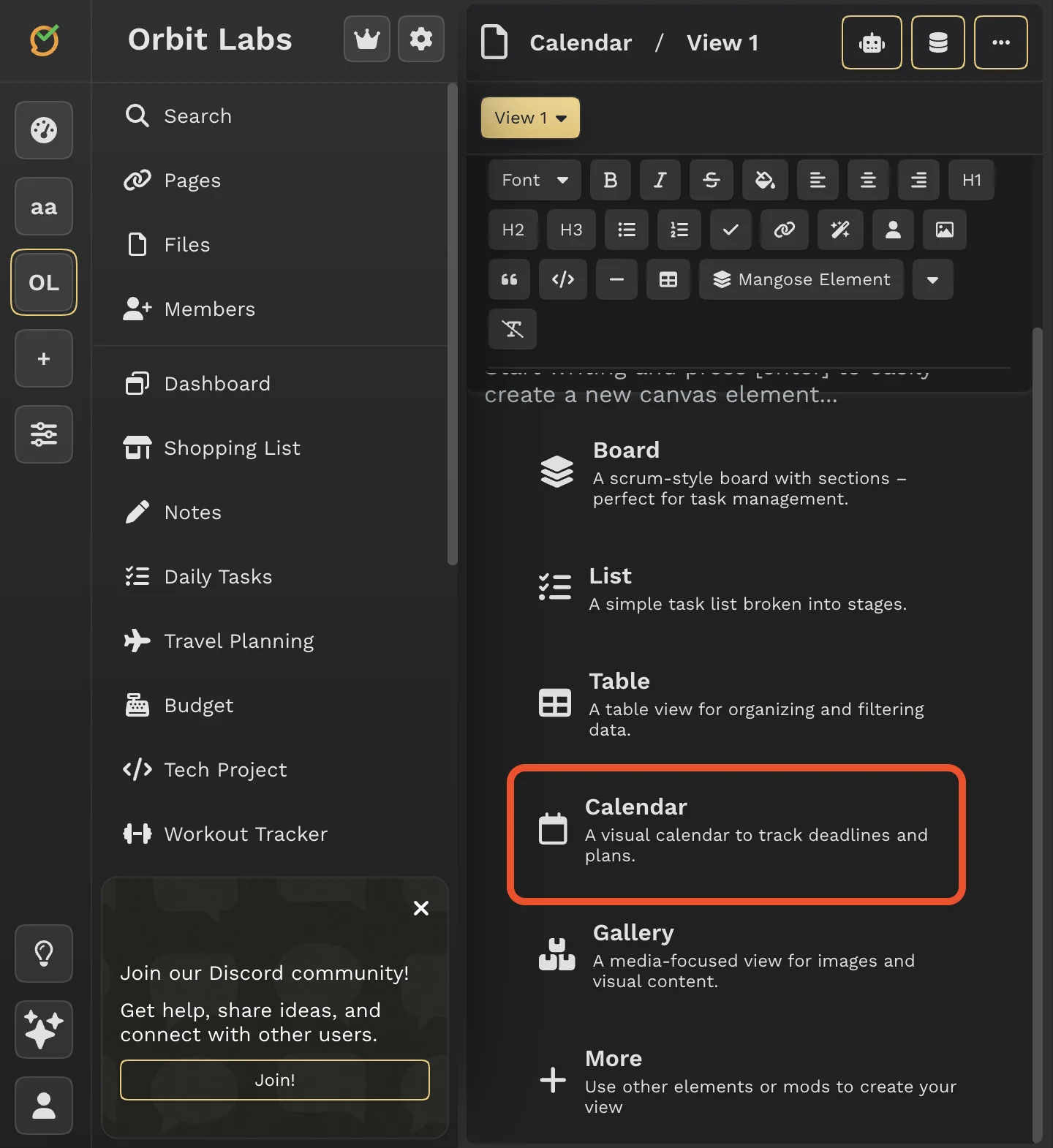
Create a calendar view
In Mangose, create a new view and select 'Calendar' as the view type for your collection.
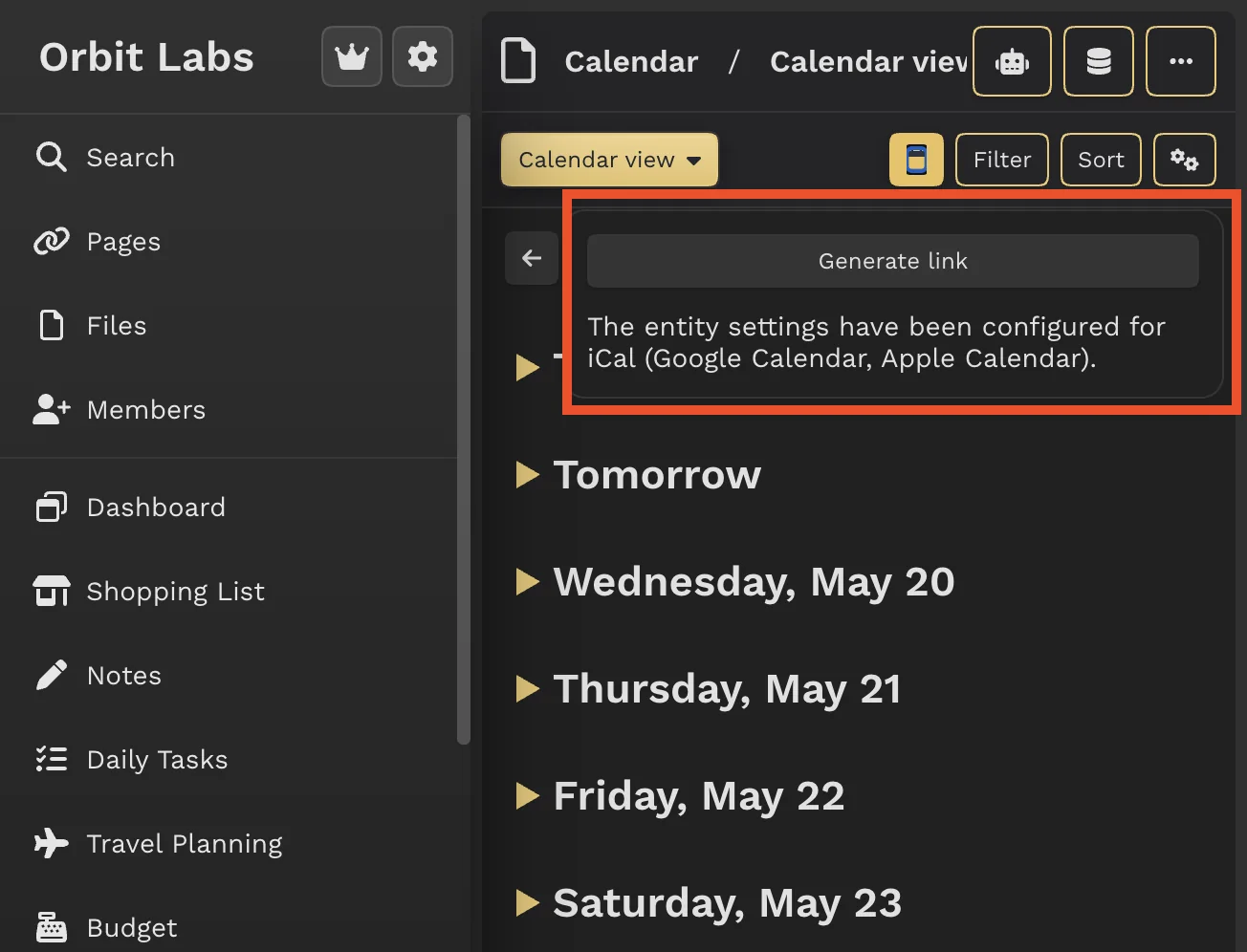
Generate iCal link
In the calendar view, click the calendar icon in the top controls to generate an iCal synchronization link.
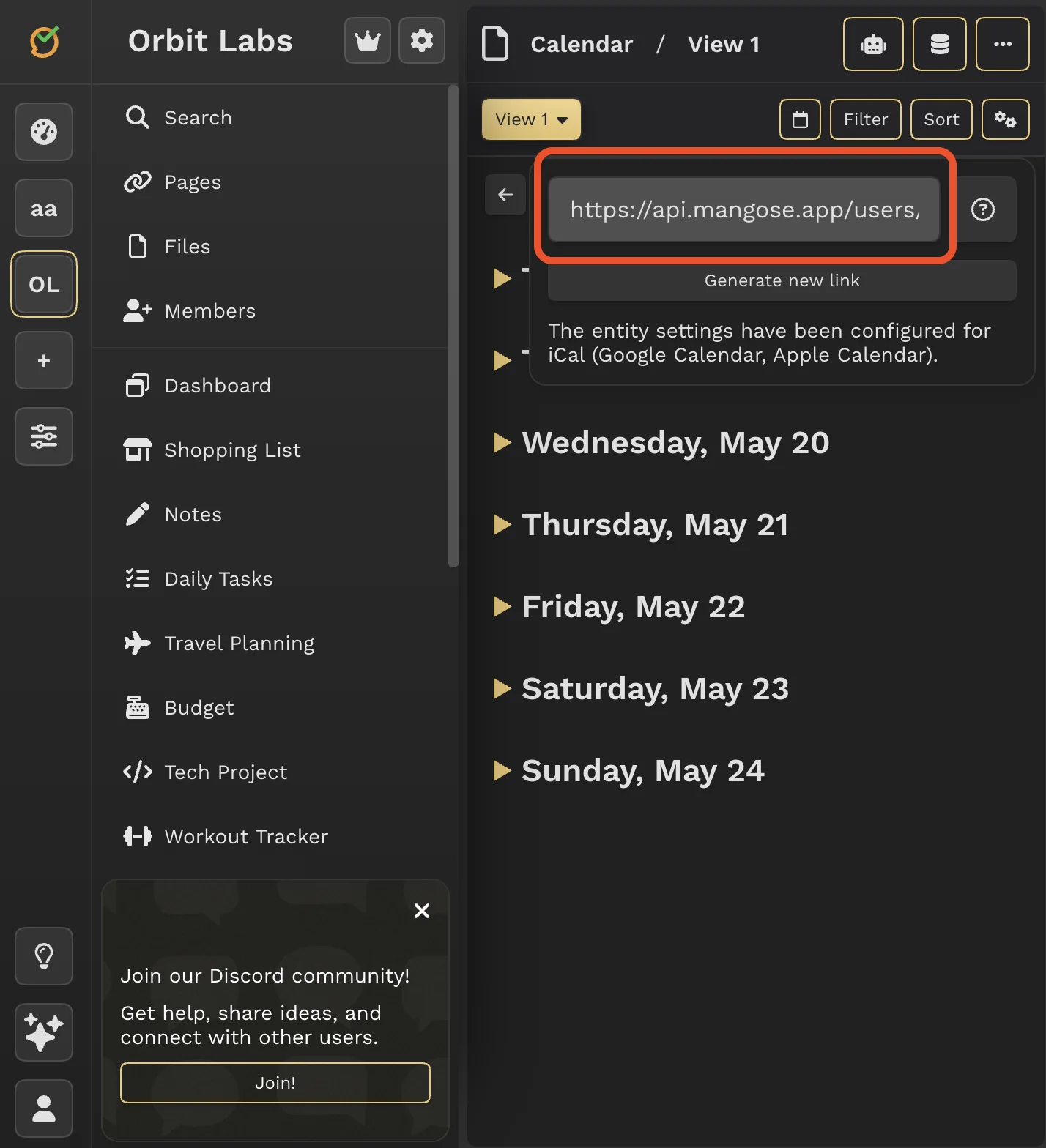
Add to your calendar app
Copy the generated link and paste it into your preferred calendar application following the instructions below.
Apple Calendar
On Mac
- Open the Calendar app on your Mac.
- Go to File > New Calendar Subscription.
- Paste the iCal URL from Mangose and click Subscribe.
On iPhone/iPad
- Open the Settings app.
- Scroll down and tap Calendar > Accounts.
- Tap Add Account > Other > Add Subscribed Calendar.
- Paste the iCal URL from Mangose and tap Next, then Save.
Google Calendar
On Web
- Open Google Calendar in your browser.
- On the left side, click the + next to 'Other calendars' and select 'From URL'.
- Paste the iCal URL from Mangose and click Add calendar.
On Android
- Open the Google Calendar app.
- Tap the menu (three lines) > Settings > Add calendar > From URL.
- Paste the iCal URL from Mangose and tap Add.
On iOS
- Open the Google Calendar app.
- Tap the menu > Settings > Add calendar > From URL.
- Paste the iCal URL from Mangose and tap Add.
Outlook
On Web
- Open Outlook on the web.
- Click the calendar icon on the left, then click 'Add calendar' > 'Subscribe from web'.
- Paste the iCal URL from Mangose and click Import.
Frequently Asked Questions
How often does the calendar sync?
The calendar syncs automatically every few hours, depending on your calendar app's refresh settings.
Can I sync multiple collections?
Yes, you can generate separate iCal links for different collections and add them as separate calendars.
Is my data secure?
The iCal link is unique to your account and can be regenerated at any time. Tasks are shared in a read-only format.